AI rendering in SketchUp: ChatGPT, AI Render, Veras or Vizai?
Four ways to make AI renders from SketchUp: what each one asks of you, where it runs, how it charges and when each one makes sense.
Short answer: there are four ways to make an AI render of a SketchUp project: taking a screenshot into ChatGPT or Gemini, Trimble's SketchUp AI Render, Chaos's Veras, or a plugin built for architecture, like Vizai. A screenshot in a chat works for a quick idea; if you render every week, a tool that stays inside SketchUp and keeps the project's geometry is worth it.
Can I use ChatGPT or Gemini to render SketchUp?
Yes, by exporting the view, uploading it to the chat and writing a prompt. It is the best-known route and works for a reference image. The limit is fidelity: ChatGPT and Gemini are general tools, and they tend to change the geometry, move windows and invent elements that are not in the design.
The prompt is also on you. A prompt that works for an exterior does not work for an interior, and getting night lighting or an overcast sky right becomes trial and error. Every attempt repeats the cycle of exporting, asking, downloading and going back to SketchUp.
What is SketchUp AI Render?
SketchUp AI Render is Trimble's own AI tool, formerly called SketchUp Diffusion. It comes with the SketchUp Go, Pro and Studio subscriptions, with a monthly credit allowance, and the desktop extension works from SketchUp 2024. It makes sense if you already pay for a Trimble subscription and use SketchUp 2024 or newer.
What is Veras?
Veras, by Chaos (the company behind V-Ray and Enscape), is an AI rendering tool that works inside several programs: Revit, SketchUp, Rhino, Archicad and others. It is billed as a credit-based subscription, with a 14-day trial. It makes sense if you switch between those programs day to day.
How does Vizai work?
Vizai is an AI rendering plugin built for architecture that runs inside SketchUp 2023 or newer, on Windows and Mac. It captures the active view in the aspect ratio you choose and uses ready, tested instructions for each project type (exteriors, interiors, commercial, buildings and landscape), with rules to keep the framing and geometry of the view. Lighting and weather are picked with buttons: no prompt writing.
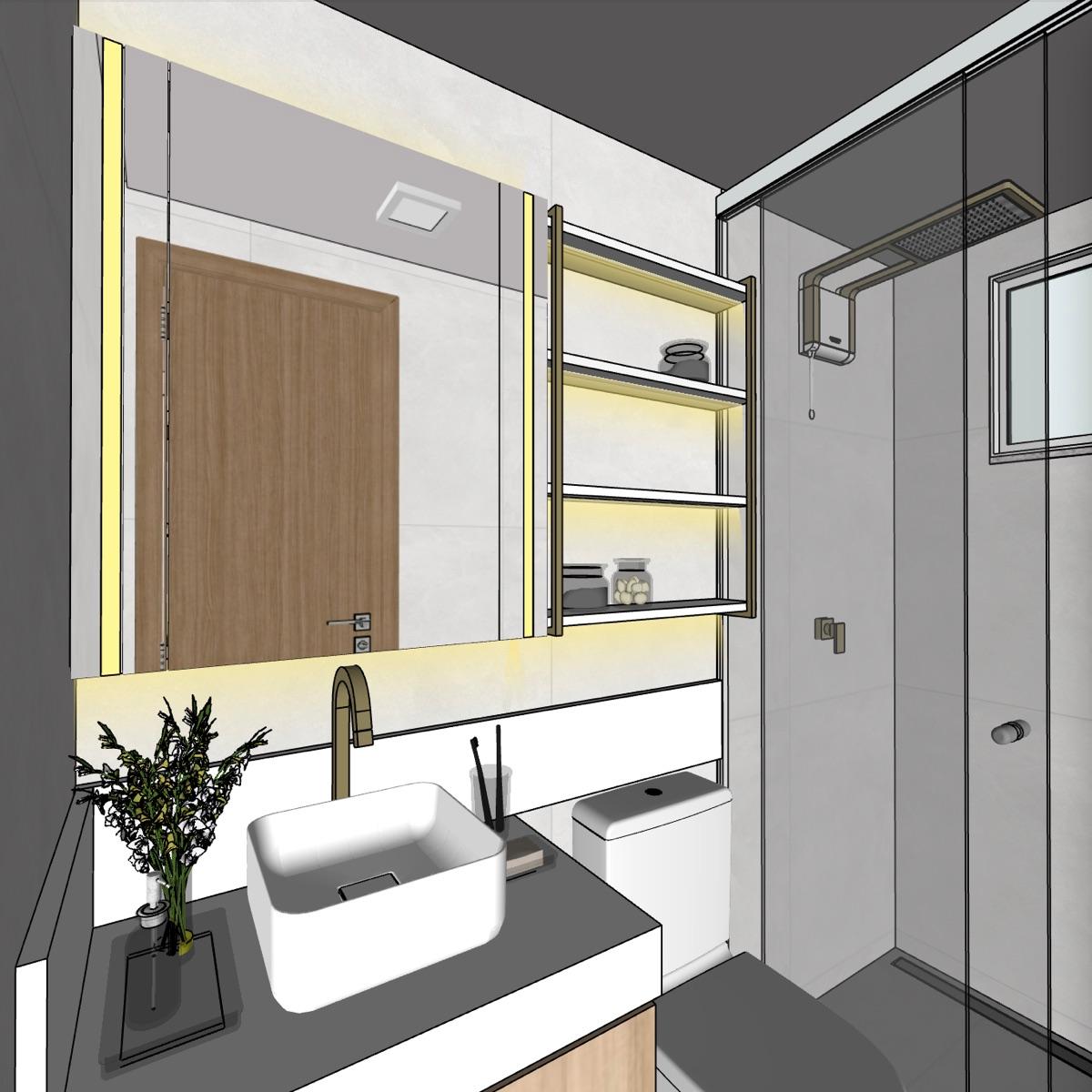 SketchUp view
 Vizai render
Besides rendering, the same panel makes 4 to 15 second videos, 360° panoramas, 3D blocks from a photo, 4K upscales and tools that use no credits, such as Mirror Reflection and Fake Light. A render costs 4 credits, and credits come in plans or in packs that never expire.
Side-by-side comparison
| Where it runs | How it charges | |
|---|---|---|
| Screenshot in ChatGPT or Gemini | In the browser, outside SketchUp | Chat plan, with limited free tiers |
| SketchUp AI Render | SketchUp 2024 or newer | Monthly allowance in the Go, Pro and Studio subscriptions |
| Veras | Revit, SketchUp, Rhino, Archicad and others | Credit-based subscription |
| Vizai | SketchUp 2023 or newer, Windows and Mac | Plans or credit packs that never expire |
Which one should I choose?
- A reference image every now and then: a screenshot in ChatGPT or Gemini does the job.
- You already pay for SketchUp and use version 2024 or newer: try the AI Render that comes with it.
- You work in Revit, Rhino or Archicad as well as SketchUp: Veras covers all of them.
- You render every week in SketchUp, including version 2023 or on a Mac: a dedicated plugin like Vizai saves the export-and-prompt cycle and keeps the project's geometry.
To compare on your own project, Vizai gives you 8 free credits on your first login. Download the plugin and run the same render in the tools you already use.
Frequently asked questions
Can I use ChatGPT to render a SketchUp project?
You can, by exporting the view and writing a prompt. The problem is fidelity: general tools like ChatGPT and Gemini tend to change the geometry, move windows and invent elements, and every attempt repeats the cycle of exporting, asking and downloading.
What is the difference between SketchUp AI Render and Vizai?
AI Render is Trimble's, comes with the SketchUp Go, Pro and Studio subscriptions with a monthly credit allowance and works from SketchUp 2024. Vizai works from SketchUp 2023, with credits on plans or in packs that never expire, has dedicated modes for each project type and also makes videos, 360° panoramas and 3D blocks.
Does AI rendering stay true to the design?
In structure, yes, when the tool is built for it. In Vizai, framing, geometry and the position of elements come from the SketchUp view, and the AI adds materials, light, sky and surroundings. Small details can vary, and a masked edit fixes just that area.
Do I need to write prompts in Vizai?
No. Project type, lighting and weather are picked with buttons, and Vizai builds the instructions for the AI from those choices.
Try it on your own project
Install the plugin and get 8 free credits on your first login, enough for 2 renders.