Getting started: install the plugin and sign in for the first time
How to install Vizai Render in SketchUp, sign in with your Google account, activate your 12 free credits and understand what each tool costs.
Vizai Render is an AI rendering plugin that runs inside SketchUp. You set up the scene, pick a style and get a photorealistic render in seconds, no exporting, no external software and no powerful graphics card required. This guide gets everything up and running.
Installation
- 1Download the .rbz file
On the website's download page, grab the latest version of the plugin (compatible with SketchUp 2017 or later, Windows and Mac).
- 2Install from inside SketchUp
Open SketchUp and go to Extensions → Extension Manager → Install Extension, select the downloaded .rbz file and confirm.
- 3Open Vizai Render
The panel lives under Extensions → Vizai Render, or via the toolbar icon.
Sign-in and welcome credits
You sign in with your Google account, in one click, no new password needed. On your first login from the plugin you receive 12 free credits to try the tools. Your balance shows in the top-right corner of the panel, next to your profile.
Created your account on the website? The 12 free credits are activated when you first sign in inside the plugin. That's where they show up.
How credits, plans and per-tool costs work
Everything in Vizai Render runs on credits: each AI generation consumes a fixed amount, deducted from your balance. Local tools (like the Tools window, the Editor's photo adjustments and Mirror Reflection) are free. You only pay for what the AI generates.
Cost of each tool
| Tool | Cost |
|---|---|
| Render (Studio) | 4 credits |
| Creative AI (Moodboard, Staging, Floor Plan, Diagram) | 3 credits |
| AI Editing (inpaint, new perspectives) | 4 credits |
| 4K export (upscale) | 5 credits |
| 360° Panorama | 5 credits |
| AI Video (4 to 15 seconds) | 22 to 83 credits |
| 3D Block from photo | 28 credits |
| Tools window, photo adjustments, crop, 2K download | Free |
The cost is always shown before you confirm: the generate button displays the amount (e.g. “Render (4 credits)”). If your balance is too low, the plugin warns you and nothing is charged.
If a generation fails due to a server error, the credits are refunded automatically. You never pay for a render that didn't arrive.
Monthly plans and one-time packs
There are two ways to get credits, and they complement each other:
- Monthly plans: Starter (250 credits/month), Pro (600 credits/month) and Business (1,600 credits/month). Credits renew every month and you can cancel anytime.
- One-time packs: from 50 to 1,750 credits in a single purchase. They never expire and are consumed after your monthly credits.
You can subscribe and buy both on the website and from inside the plugin: click your profile in the top-right corner of the panel and choose Subscription or + Buy credits. Payment is processed by Stripe and the balance lands in your account within seconds.
Tracking your usage
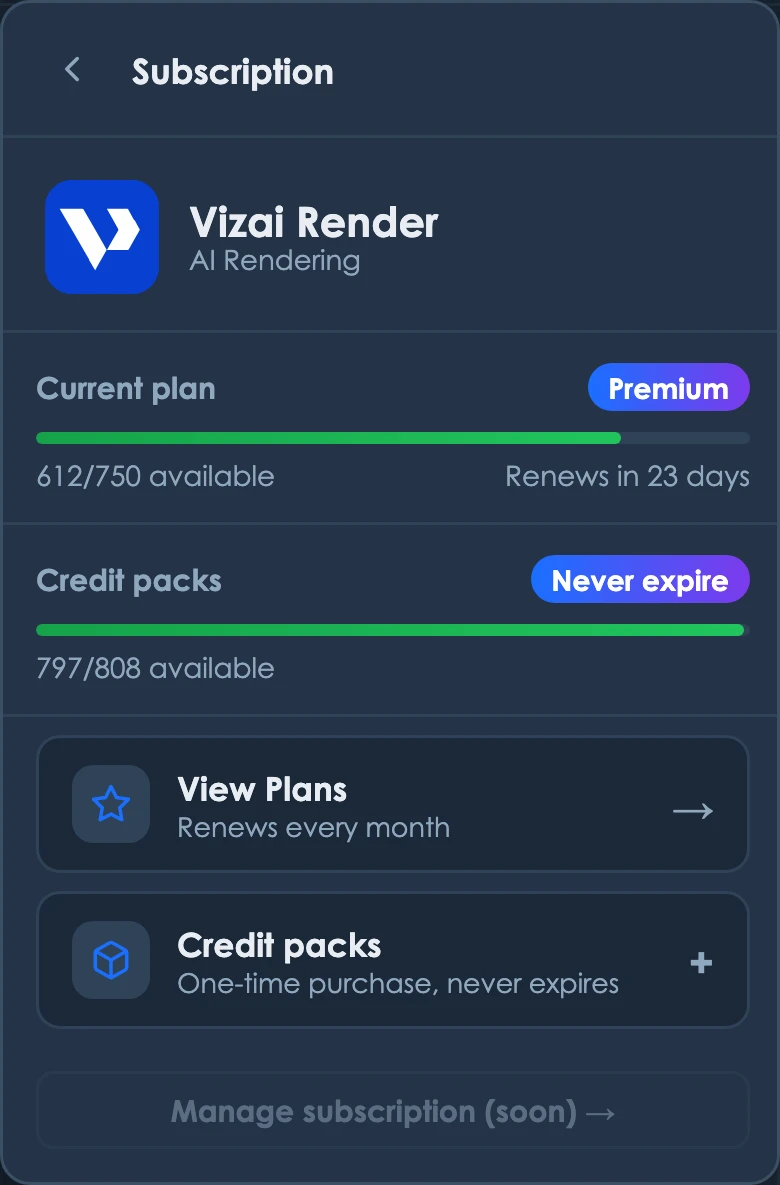
To keep track of your usage, click your profile in the top-right corner and open Subscription. There you'll see all your available credits in one place: your monthly plan balance (with how many days until it renews) and your one-off credits, which never expire. The bars show at a glance how much of each you have left.
Ready to try it yourself?
Create your account, install the plugin and get 12 free credits on your first login.