Stage Room: AI furniture and decor for empty spaces
Vizai's virtual staging: upload a photo or render of an empty room, pick the space type, style and time of day, and the AI furnishes and decorates it while keeping the architecture.
Decorate Space furnishes and decorates an empty room from a photo or a render, in under a minute, for 3 credits. The architecture, finishes, windows and framing stay as they are: the AI only adds furniture and decor for the room type and style you choose. Use it to show the potential of empty properties, off-plan apartments, renovations and sale or rental listings.
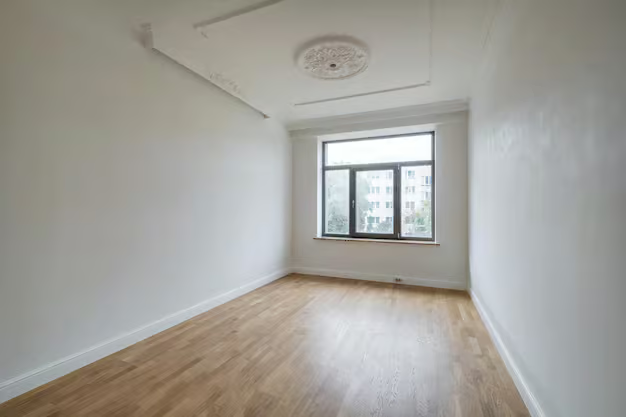 Empty room
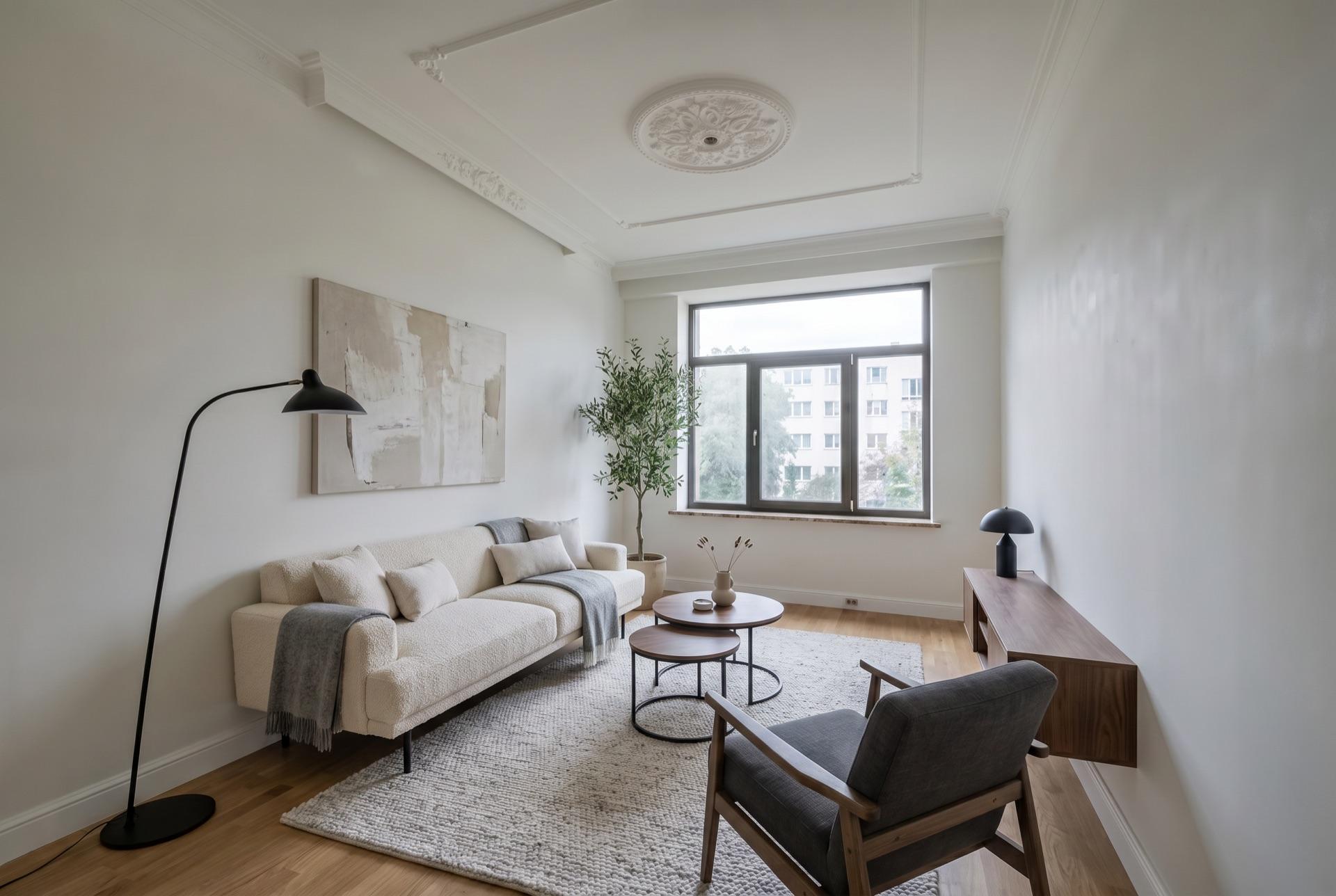 AI staged
Step by step
- 1Switch to Creative AI
In the Studio tab, switch from Render to Creative AI and choose Decorate Space.
- 2Upload the base image
Drag in a photo or render of the empty room (JPG or PNG, up to 5 MB) or capture the current SketchUp scene. The result keeps the image's aspect ratio.
- 3Pick the room, style and time of day
One of the 13 room types, one or more decor styles, and day or night.
- 4Generate
3 credits per image. The result comes with a Before and After view to compare with the base.
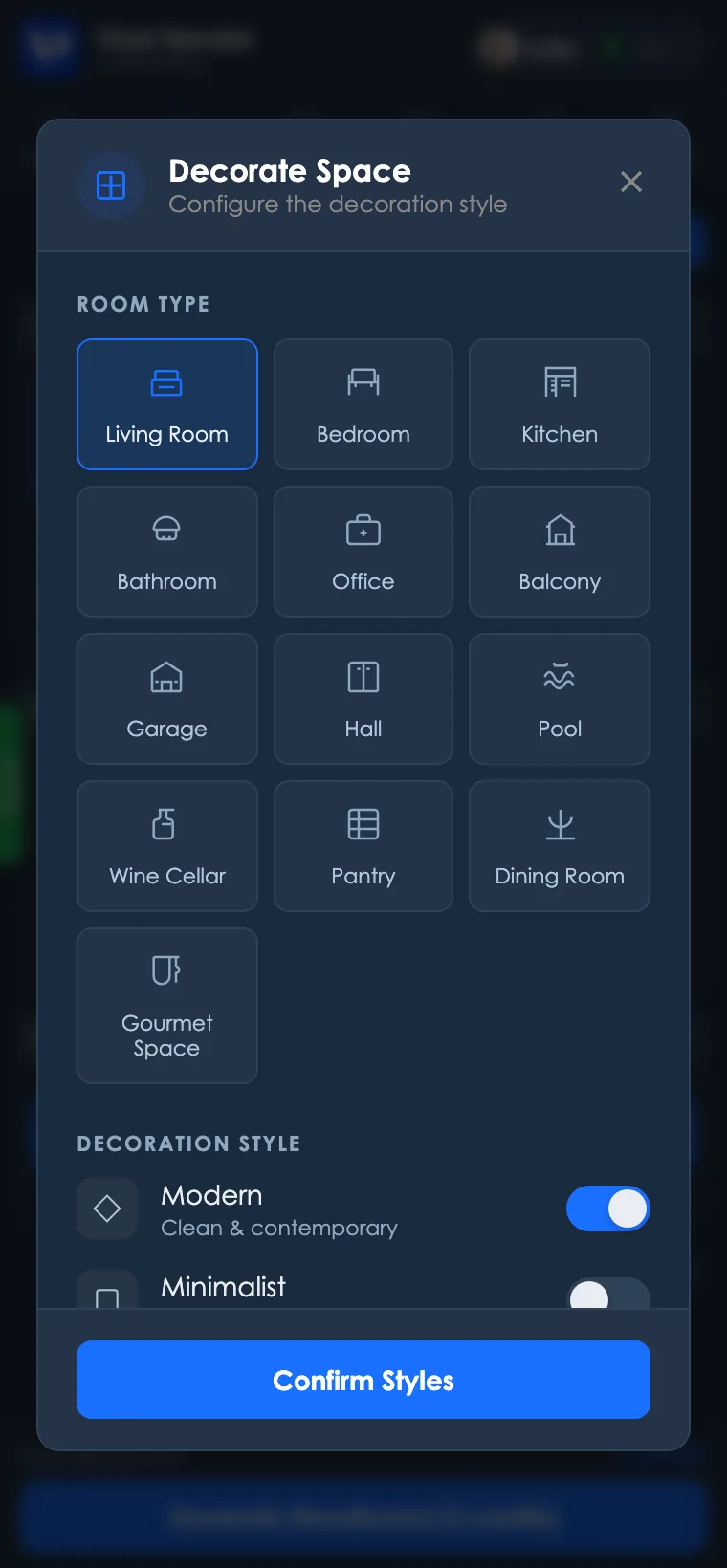
Room types
Living Room, Bedroom, Kitchen, Bathroom, Office, Balcony, Garage, Hall, Pool, Wine Cellar, Pantry, Dining Room and Gourmet Space. Each type has its own program that defines what goes in. In the Dining Room, the AI sets a table for 6 to 8 people; in the Office, a work desk, an ergonomic chair and a bookshelf. In the Kitchen, it dresses the counter and adds stools and pendants without touching cabinets, countertop or appliances. In the Bathroom, it adds towels, accessories and plants without touching the fixtures.
Decor styles
Modern, Minimalist, Classic, Industrial, Scandinavian, Rustic, Contemporary and Tropical. Select more than one to mix them, such as Modern with Scandinavian. If none is selected, Vizai uses Modern.
Day or night
- Day: soft natural light coming through the windows, with gentle shadows.
- Night: a deep blue sky outside and the room lit by warm fixtures such as pendants, wall sconces and table lamps.
Getting a good result
- A truly empty room. With walls, floor and structure clearly visible, the AI places furniture much more accurately.
- A well-framed image. The AI keeps the image's framing, so fix tilt and cropping before uploading.
- The room type that matches the real use. The type is what defines the furniture that goes in.
If the result isn't what you expected
- Furniture out of scale or in an odd spot: generate again, since every generation comes out different, or fix just that area with a masked edit.
- Something in the architecture changed: the AI is instructed to keep walls, floor, windows and finishes. If something changes, generate again.
Quick questions
- Does it work with real photos or only renders? Both. It was designed for photos of empty rooms and also works with SketchUp renders.
- Can I use it in a property listing? Yes, the image is yours. It's good practice to say in the listing that the furnishing is virtual.
- How long does it take? Under a minute.
- How many credits? 3 per image, like the other Creative AI modes.
Ready to try it yourself?
Create your account, install the plugin and get 12 free credits on your first login.