V-Ray, Enscape, Lumion or AI rendering: which to use in SketchUp?
A traditional renderer calculates light from the 3D model; AI rendering starts from the view. Compare setup, hardware, Mac support, speed and when to use each.
Short answer: V-Ray, Enscape, Lumion and D5 calculate light from the 3D model and give you full technical control, but they need setup and a good graphics card. AI rendering, like Vizai, starts from the SketchUp view, is ready in 20 to 60 seconds and runs on any computer. Neither replaces the other everywhere: each one wins at a different stage of the project.
What is the difference between a traditional renderer and AI rendering?
A traditional renderer (V-Ray, Enscape, Lumion, D5) simulates the physics of light over the 3D model. Every material has its own properties, every fixture actually emits light, and the result is technically accurate. The cost is setup, material by material and light by light, plus render times that depend on your graphics card.
AI rendering starts from the image of the view, exactly as the SketchUp camera shows it. In Vizai, you pick the project type, the lighting and the weather, and the AI fills in materials, lighting, sky and surroundings. There are no materials to set up, and the image is generated in the cloud: your computer doesn't affect the result.
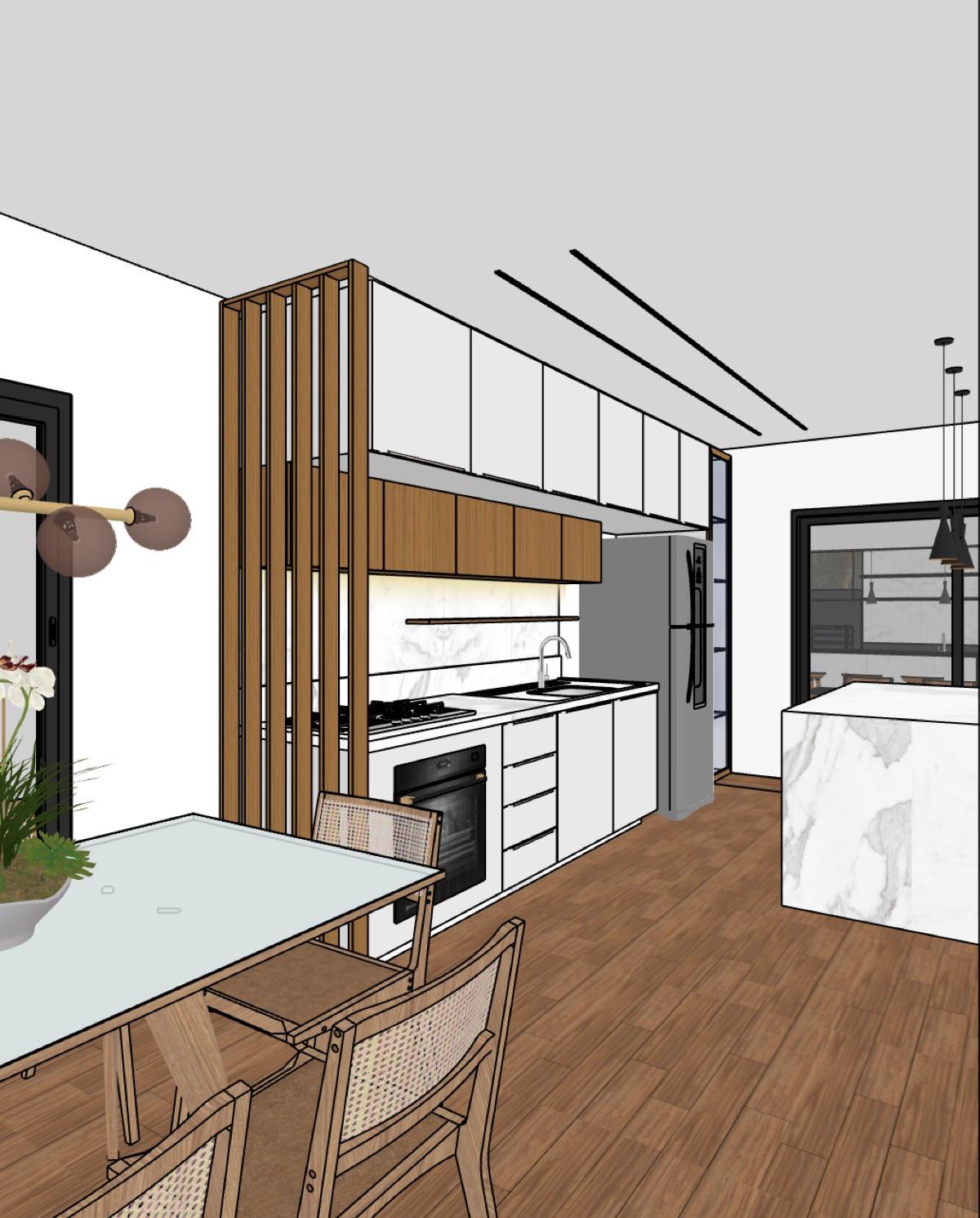 SketchUp view
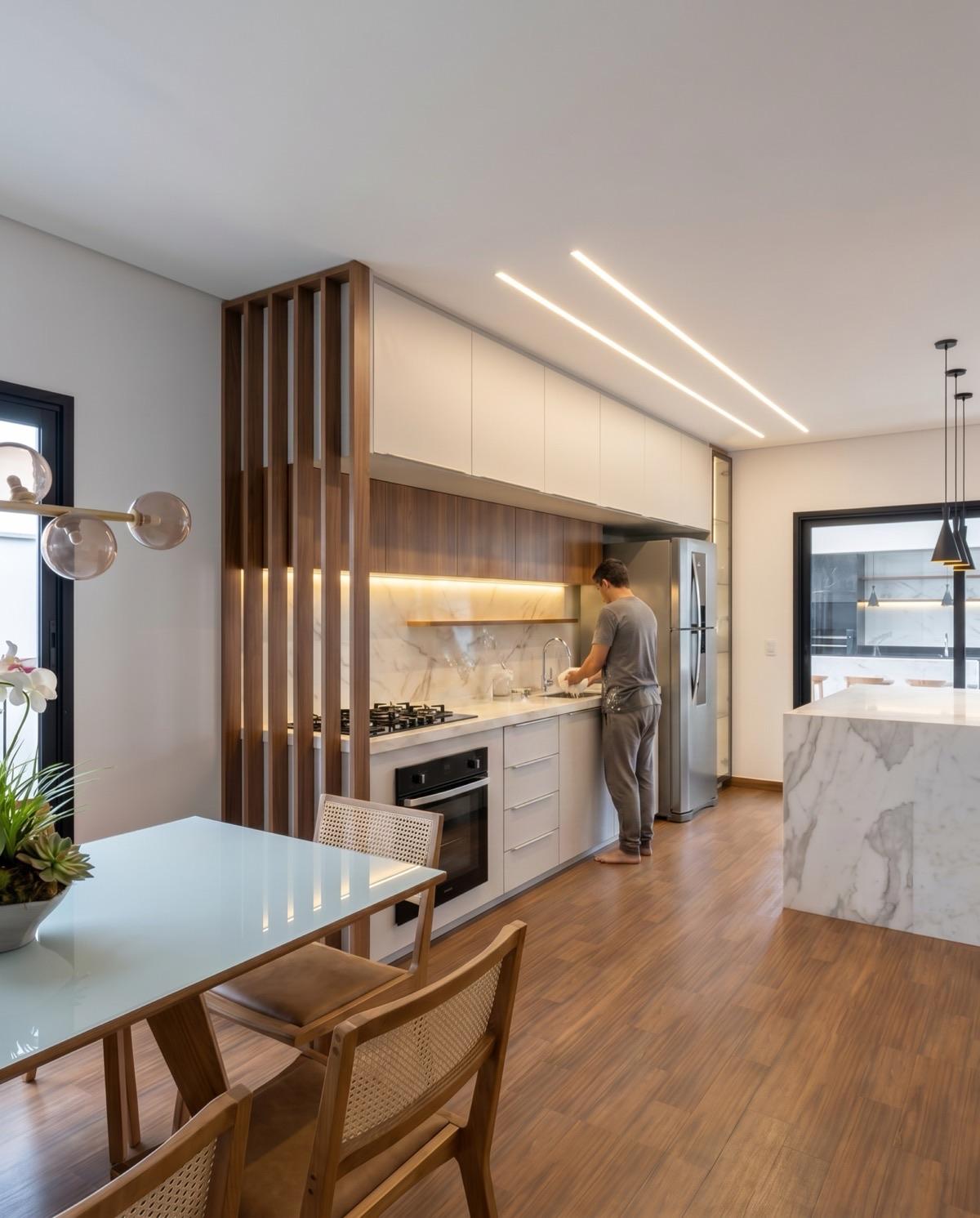 Vizai render
Side-by-side comparison
| V-Ray, Enscape, Lumion and D5 | Vizai (AI rendering) | |
|---|---|---|
| How the image is made | Calculates light from the 3D model | AI from the SketchUp view |
| What you set up | Materials, lights, surroundings and camera | Project type, lighting and weather |
| Graphics card | Enscape, Lumion and D5 rely on it; V-Ray can use CPU or GPU | Not used: the image is generated in the cloud |
| Mac | Enscape only on Apple silicon Macs; Lumion has no official support; D5 Lite is Windows only | Works on Mac and Windows |
| Time per image | Depends on the scene and the computer | 20 to 60 seconds |
| Technical control | Full, with real light and material values | The AI interprets the scene on each generation |
| Internet | Not needed to render | Needed, generation runs in the cloud |
When is a traditional renderer the better choice?
A traditional renderer is the better choice when the project needs technical precision that AI does not guarantee. The most common cases:
- Lighting studies with real fixture and sun values.
- Manufacturer materials that must match the catalog exactly.
- Long walkthrough animations of the project.
- A series of identical views of the same room, where no detail can change from one image to the next.
In those cases, the hours of setup pay off. The AI interprets the scene on each generation, so small details can vary between images, even from the same view.
When does AI rendering work better?
AI rendering works better when speed and a steady flow of good-looking images matter more than exact light calculation. The most common cases:
- Design studies and client approval: try day and night, sun and rain, decor styles, without redoing materials.
- Tight deadlines: several views in one day, with no render queue and no frozen computer.
- A computer without a dedicated graphics card, or a Mac.
- Empty rooms, floor plans and moodboards: in Vizai, virtual staging, rendered floor plans and moodboards live in the same panel, in the Creative AI tab.
When a detail comes out different from the design, Vizai's masked edit fixes just that area, without generating the whole image again. See the step by step in the First render lesson.
Can I use both on the same project?
Yes, and it is a split that works well: AI rendering during design studies and presentations, while the client is still deciding, and a traditional renderer for final delivery, once every material is settled. Both start from the same SketchUp file, so there is no remodeling.
Vizai gives you 8 free credits on your first login, enough for 2 renders. Download the plugin and compare on your own project.
Frequently asked questions
Does AI rendering replace V-Ray?
Not in every case. For design studies, presentations and client approval, AI rendering delivers an image in under a minute with no material setup. For lighting studies with real values, catalog-exact materials or a series of identical views, V-Ray and other traditional renderers are still the right choice.
Can I render SketchUp without a graphics card?
Yes, with cloud rendering. Vizai generates the image on its servers, so it works on a regular laptop, on Windows or Mac, as long as it runs SketchUp 2023 or newer and is online.
Which SketchUp renderer works on Mac?
Vizai works on Mac without a dedicated graphics card, and V-Ray has a Mac version. Enscape runs only on Apple silicon Macs, Lumion has no official Mac support and D5 Lite runs only on Windows.
How much does a render cost in Vizai?
Each render costs 4 credits (3 in the Creative AI modes). Credits come in monthly or yearly plans, or in packs that never expire, and your first login in the plugin gives you 8 free credits.
Try it on your own project
Install the plugin and get 8 free credits on your first login, enough for 2 renders.