Moodboard: material and concept boards in one click
Create professional moodboards from a reference image: 7 scene compositions and 5 aspect ratios, from flat lays to presentation boards.
Moodboard creates a visual reference board (material samples, color palette and objects) from a render of your project or a reference image. It's the tool for the start of the conversation with your client: it presents the concept and finishes before the final render. It's ready in under a minute, for 3 credits.
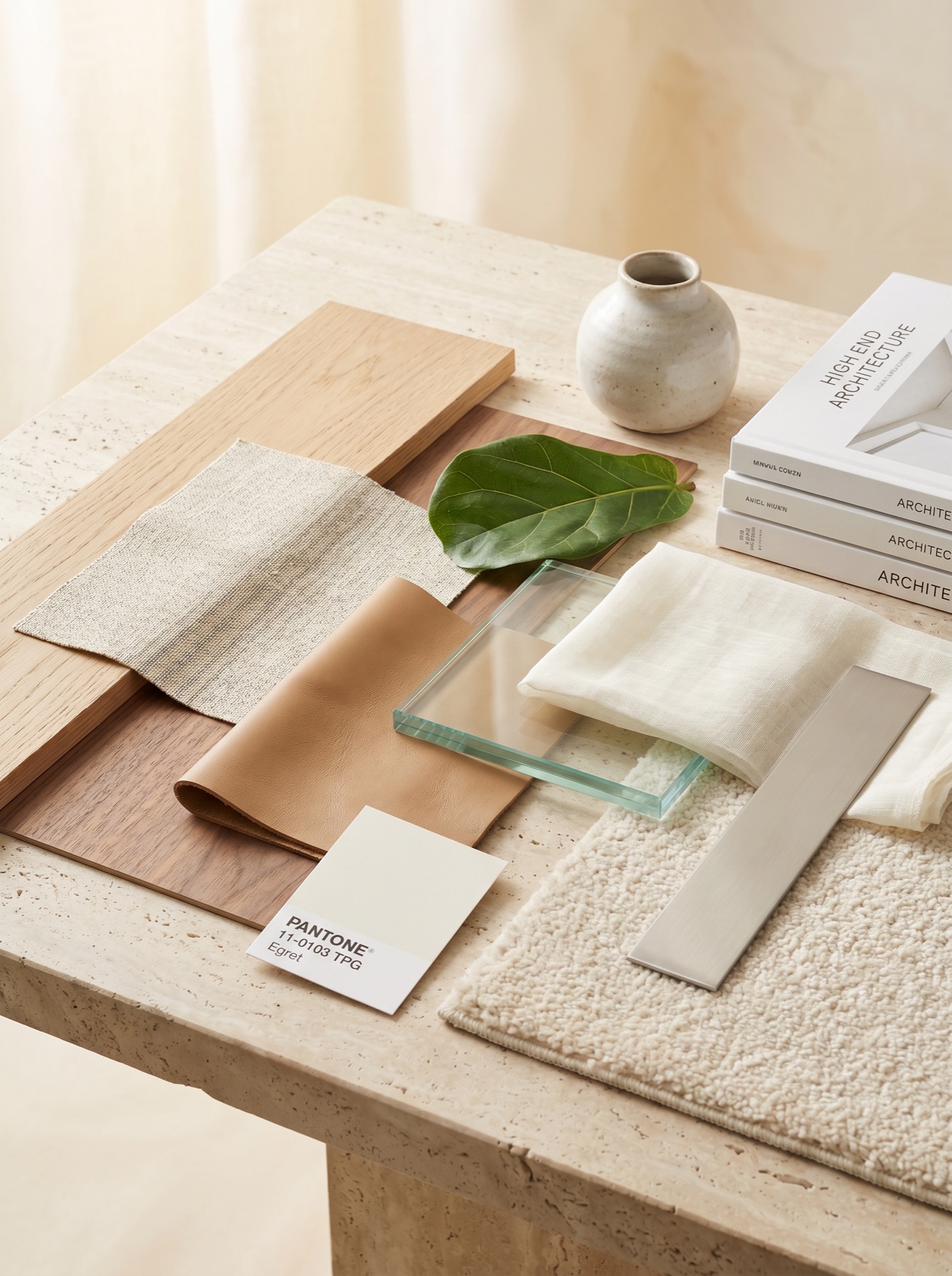
The AI analyzes the image you send and pulls out the main palette (3 to 5 colors), the materials that appear (woods, stones, fabrics, metals) and the mood of the scene. Then it builds a photo of samples of those materials, in the composition you choose. The project itself doesn't appear on the board: only the materials and objects that tell its story.
Step by step
- 1Choose Moodboard in Creative AI
In the Studio tab, switch from Render to Creative AI and choose Moodboard.
- 2Upload the base image
One of your renders or a collage of references (JPG or PNG, up to 5 MB).
- 3Pick the composition and aspect ratio
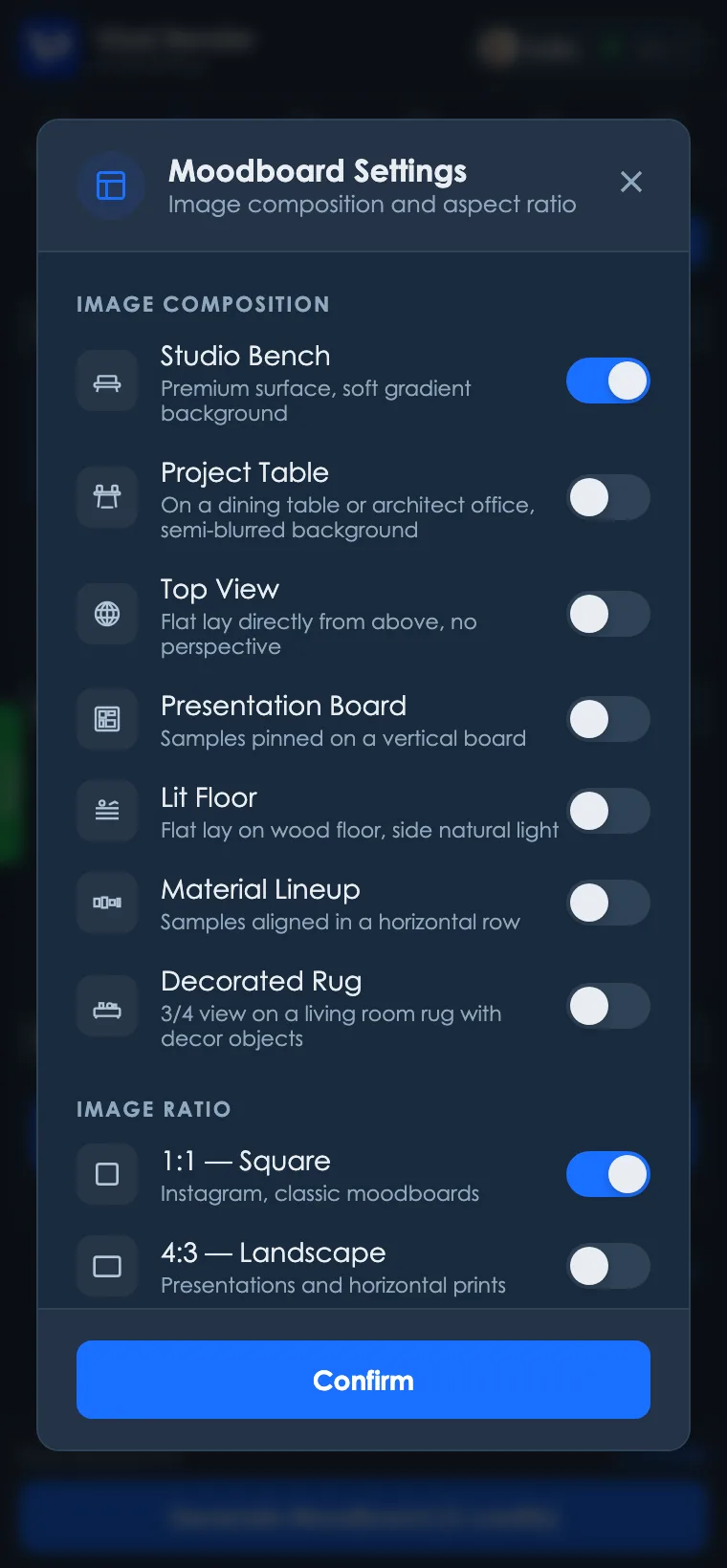
In the Moodboard settings, choose one of the 7 compositions and one of the 5 aspect ratios.
- 4Generate
3 credits per image.
Available compositions
There are 7 composition styles, the “scene” where the samples are photographed:
- Studio Bench: premium surface with a soft gradient background.
- Project Table: on a dining table or office desk, with a semi-blurred background.
- Top View: flat lay straight from above, no perspective.
- Presentation Board: samples pinned to a vertical board.
- Lit Floor: flat lay on a wooden floor with side light.
- Material Lineup: samples aligned in a horizontal row.
- Decorated Rug: three-quarter composition on a rug, with objects.
Aspect ratios
The moodboard comes out in the right format for where it's going: 1:1 (classic Instagram), 4:3 (presentations), 16:9 (screens and portfolio), 4:5 (vertical feed) and 9:16 (Stories and Reels).
Getting a good moodboard
- An image with the project's materials. One of your renders or a collage of references: the AI pulls the palette and materials from it.
- One direction at a time. An image with a clear style (light wood and linen, for example) makes a more cohesive board than references that don't go together.
- Composition by destination. Top View and Material Lineup work well on presentation sheets; Presentation Board recalls a meeting with physical samples; Decorated Rug and Project Table set the mood for social media.
If the result isn't what you expected
- A material that wasn't in the project: use a base image where the materials show clearly and in good light, and generate again.
- Colors different from the project's: very dark images or colored light confuse the palette. Prefer a daytime render with neutral light.
Quick questions
- Does my project appear on the moodboard? No. The board shows only samples and objects with the project's palette and materials.
- Does it work without a render? Yes. A collage of references also works as a base.
- How long does it take? Under a minute.
Ready to try it yourself?
Create your account, install the plugin and get 12 free credits on your first login.