AI Video: animate your renders with cinematic camera work
Turn a render into a 4 to 15 second video in 1080p, with camera movement and AI-generated ambient sound, right from the plugin.
With the Video tab in Vizai, a finished render becomes a 4 to 15 second clip in 1080p, with camera movement and, if you want, AI-generated ambient sound. It's the fastest way to take a project to Reels, Stories or a client presentation, without building an animation in SketchUp or rendering frame by frame.
The image is animated by Kling 3.0 Pro, an AI video model. It starts from your render and creates the movement from it: what you see in the video is the project in the image, not the 3D model moving in real time. That's why the result depends so much on the starting render.
From render to video, step by step
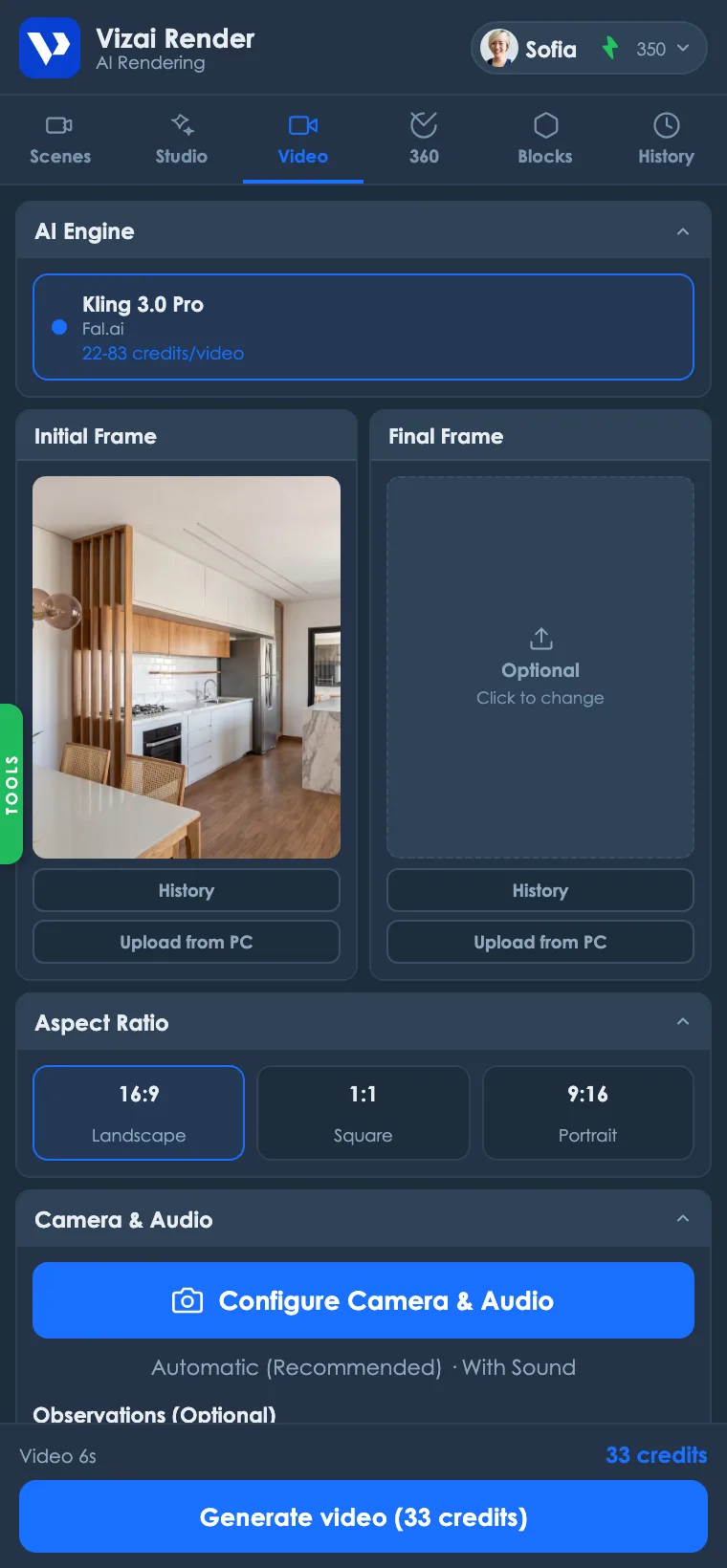
- 1Pick the start frame
The image the video starts from. By default it's your latest render; you can also pick an image from History or upload one from your computer. The AI won't fix what's wrong in the image, so start from a render you'd already approve.
- 2Set an end frame, if you want
Optional. With a second image, the AI creates the transition between the two. It works best with two renders of the same room, with the same light and close angles.
- 3Choose the aspect ratio
Landscape (16:9) for presentations and YouTube, square (1:1) for the feed and portrait (9:16) for Reels and Stories. Use the same ratio as the render: if the video will be vertical, generate the render in 9:16 from the start.
- 4Set camera and audio
In Configure Camera & Audio, pick one of the 8 movements and whether the video has sound.
- 5Write observations, if you want
In the Observations field, ask the AI to pay attention to an element (“focus on the wooden chair”) or describe the movement in your own words (“camera slowly moves forward and reveals the balcony”). The text is added to the chosen movement.
- 6Pick the duration and generate
4, 6, 8, 10 or 15 seconds. The cost shows on the button before you generate, and the video is ready in 2 to 5 minutes.
The 8 camera movements
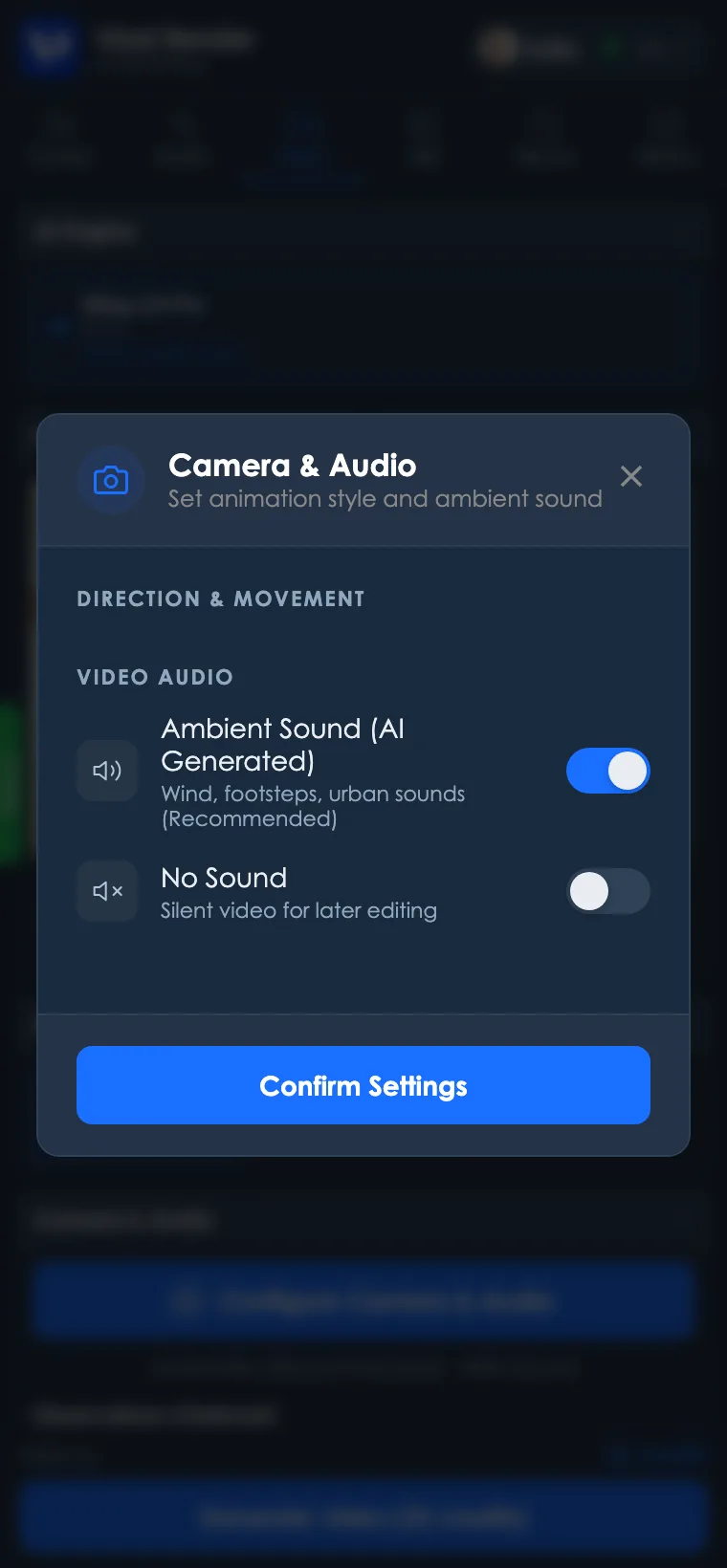
- Automatic (Recommended): the AI picks a natural movement for the scene. The best starting point.
- Smooth Zoom In: the camera moves into the scene. Highlights a room or a joinery detail.
- Smooth Zoom Out: the camera pulls back and reveals the whole space. Good for ending the video on the full view.
- Pan Right or Pan Left: the camera slides sideways. Works in wide living rooms, galley kitchens and long facades.
- Tilt Up and Tilt Down: the camera tilts up or down. Shows high ceilings, stairs and building facades.
- Orbit (Drone): the camera circles the project like a drone. The most striking movement for facades and houses, and the most demanding for the AI.
Video sound
- Ambient Sound (AI Generated): wind, footsteps and city noise, created to match the scene. It doesn't change the price.
- No Sound: a silent video, so you can add music or narration when editing.
How much it costs
| Duration | Cost |
|---|---|
| 4 seconds | 22 credits |
| 6 seconds | 33 credits |
| 8 seconds | 44 credits |
| 10 seconds | 55 credits |
| 15 seconds | 83 credits |
Getting a good video
- Start short. 4 to 6 second videos with Automatic or Zoom In are the most stable and the cheapest. Save 10 or 15 seconds for movements that need time, like an orbit.
- Clean render, clean video. Fix the render first with a masked edit, and only then animate it. The AI carries everything in the image into the video.
- Right aspect ratio from the render. For Reels, generate the render in 9:16 instead of using a horizontal one.
If the result isn't what you expected
- Window frames, joinery or facade warping: the more the camera travels, the more the AI has to invent what isn't in the render. Switch to a shorter movement (Zoom In or Automatic), reduce the duration or use an end frame to hold the arrival point.
- Movement different from what you asked: describe the movement in Observations in one simple, direct sentence, and keep the preset movement consistent with it.
If the generation fails or the video doesn't reach the plugin, the credits go back to your account automatically.
Quick questions
- How long does it take? 2 to 5 minutes, depending on the length.
- What resolution? 1080p, in the aspect ratio you choose.
- Can I make a tour of the whole house? Not in a single video: each video starts from one render and lasts up to 15 seconds. For a tour, generate one video per room and join them when editing.
- Can I animate an image that didn't come from Vizai? Yes. In the start frame, use Upload from PC.
Ready to try it yourself?
Create your account, install the plugin and get 12 free credits on your first login.